(이 글은 No, react context is not causing too many renders 아티클을 읽고 스터디 발표를 위해 정리한 글입니다.)
이 아티클이 얘기하고자 하는 바
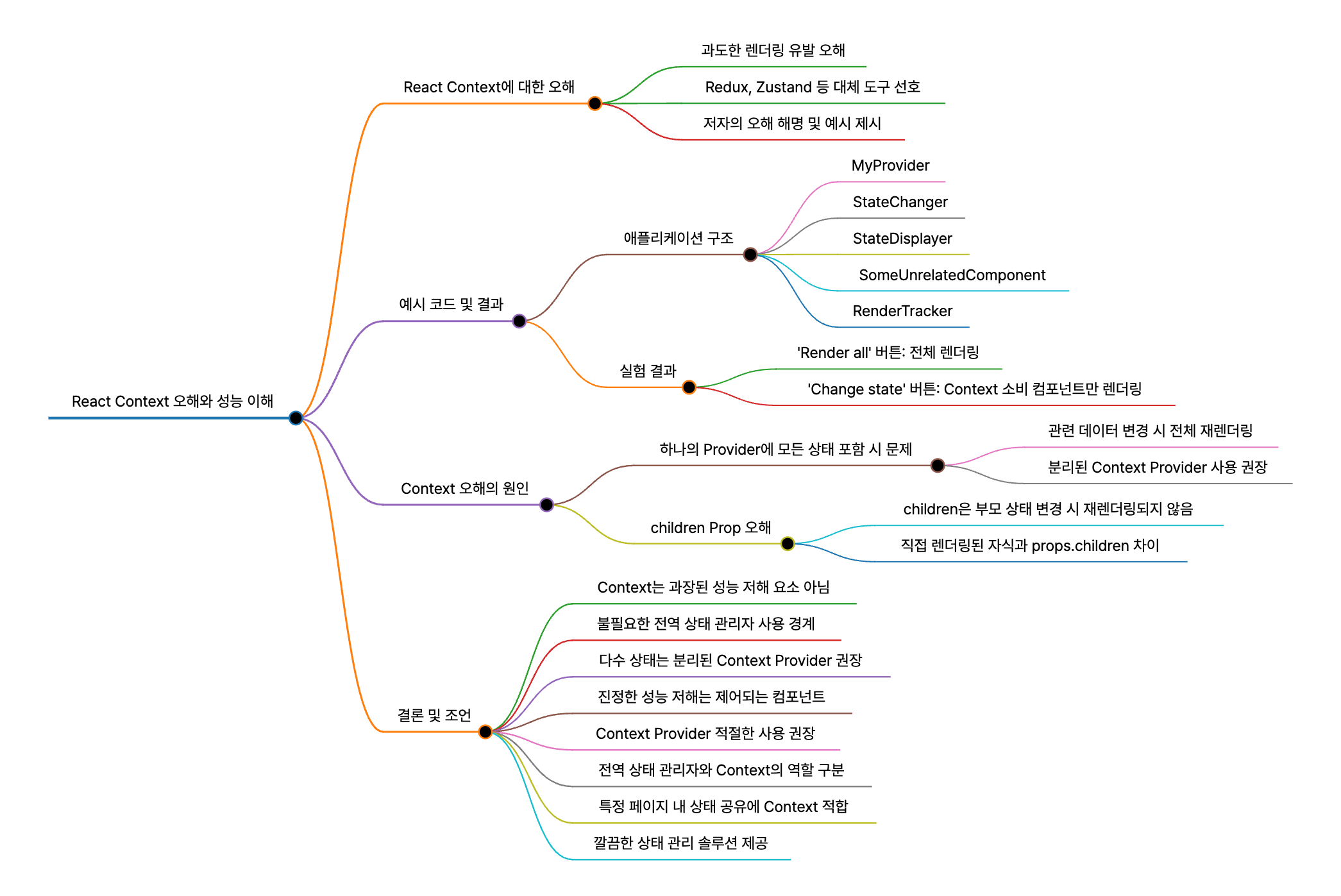
- 많은 사람들이 React Context를 상태 관리 도구로 사용하기에 부적절하다고 믿고 있으며, 그 이유는 Context 상태가 변경될 때마다 Provider 아래의 모든 것이 다시 렌더링된다고 생각하기 때문이다.
- 이러한 오해 때문에 사람들은 Context 사용을 피하고 Redux나 Zustand와 같은 도구를 바로 사용합니다.
- 저자는 이러한 오해가 잘못된 것이며, 이를 반증하기 위해 예시 코드를 제시합니다.
예시 코드
1. 애플리케이션 구조
export function ReactRenders1() {
  const [value, setValue] = React.useState("foo");

  return (
    <MyProvider>
      <button
        onClick={() => {
          setValue(`${Math.random()}`);
        }}
        className="global-render-button"
      >
        {" "}
        Render all
      </button>

      <div className="render-tracker-demo">
        <StateChanger />
        <StateDisplayer />

        <SomeUnrelatedComponent />
        <SomeUnrelatedComponent />
        <SomeUnrelatedComponent />
      </div>
    </MyProvider>
  );
}MyProvider안에StateChanger,StateDisplayer, 그리고 여러 개의SomeUnrelatedComponent가 포함된 애플리케이션이 있습니다.
2. MyProvider - Context 제공자
const MyProvider = ({ children }: { children: React.ReactNode }) => {
  const [value, setValue] = React.useState("foo");
  const contextValue: MyContextType = { value, setValue };

  return (
    <MyContext.Provider value={contextValue}>{children}</MyContext.Provider>
  );
};useState훅에 상태를 저장하고 이를 Context Provider를 통해 제공하는 간단한 구조입니다.
+) React 19부터는 <SomeContext>를 Provider로 사용할 수 있음
return <MyContext value={contextValue}>{children}</MyContext>;3. StateChanger 및 StateDisplayer - Context 사용자
function StateChanger() {
  const { setValue } = useContext(MyContext);

  return (
    <div className="state-changer">
      <strong>State Changer</strong>

      <button onClick={() => setValue(`${Math.random()}`)}>Change state</button>
      <RenderTracker />
    </div>
  );
}

function StateDisplayer() {
  const { value } = useContext(MyContext);

  return (
    <div className="state-displayer">
      <strong>State Displayer</strong>
      <div>{value}</div>
      <RenderTracker />
    </div>
  );
}StateChanger및StateDisplayer두 컴포넌트 모두useContext를 통해MyContext를 사용합니다.StateChanger는 상태를 변경하고,StateDisplayer는 상태 값을 표시합니다.
4. SomeUnrelatedComponent - Context를 사용하지 않는 컴포넌트
function SomeUnrelatedComponent() {
  return (
    <div className="some-unrelated-component">
      <strong>Some unrelated component</strong>
      <RenderTracker />
    </div>
  );
}SomeUnrelatedComponent는 Context를 사용하지 않는 여러 개의 독립적인 컴포넌트입니다.
5. RenderTracker
export function RenderTracker() {
  let randX = Math.floor(Math.random() * 100);
  let randY = Math.floor(Math.random() * 100);

  return (
    <div className="render-tracker">
      <strong>Render Tracker</strong>
      <div
        className="render-tracking-dot"
        style={{ top: `${randY}%`, left: `${randX}%` }}
      ></div>
    </div>
  );
}
이 컴포넌트는 렌더링될 때마다 다른 위치에 점을 표시하여 렌더링 여부를 시각적으로 보여줍니다.
실험 결과
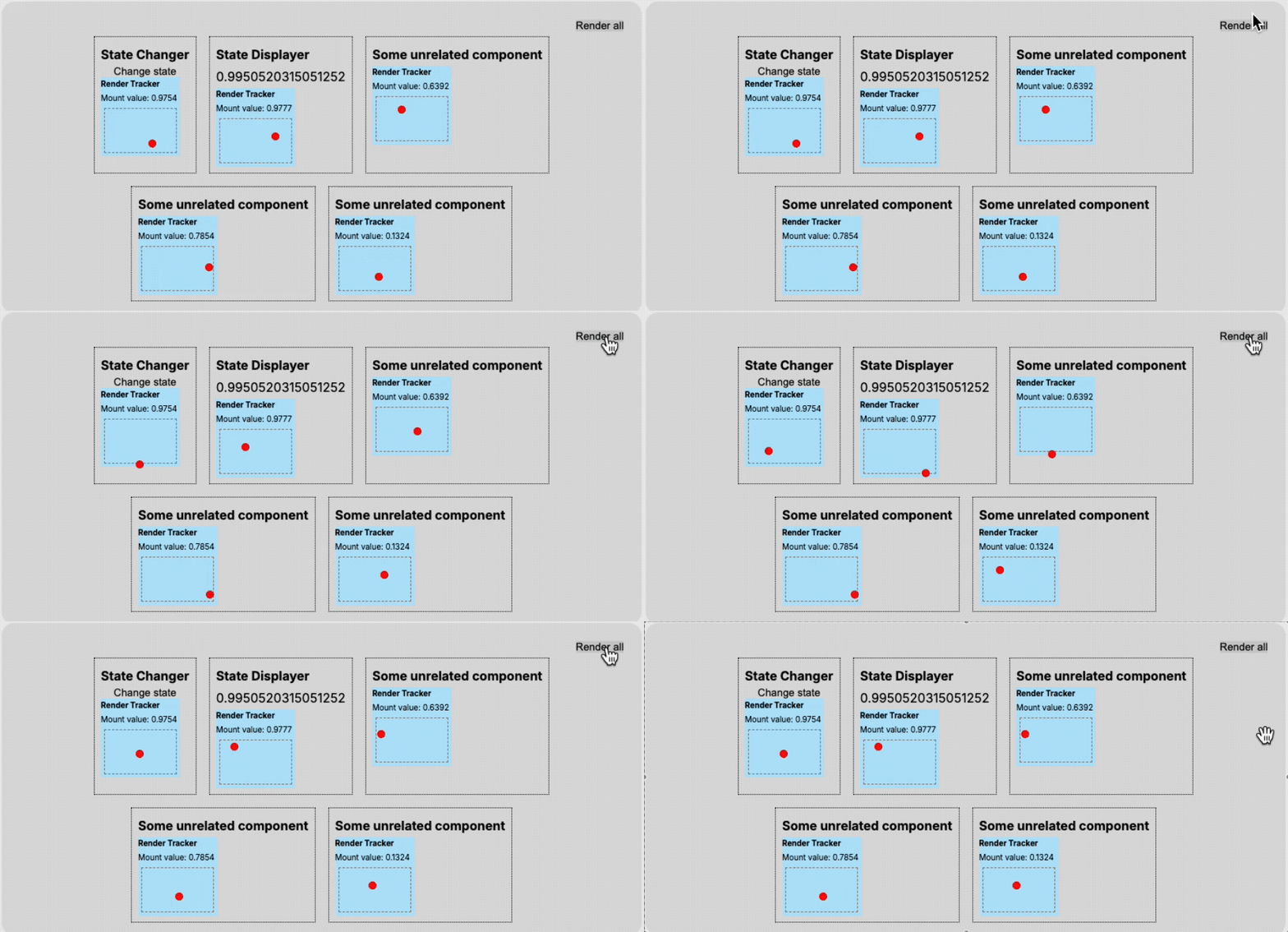
- ‘Render all’ 버튼을 클릭하면 전체 애플리케이션이 다시 렌더링됩니다.
- ‘Change state’ 버튼을 클릭하면 Context를 소비하는 컴포넌트(
StateChanger,StateDisplayer)만 영향을 받아 다시 렌더링됩니다.
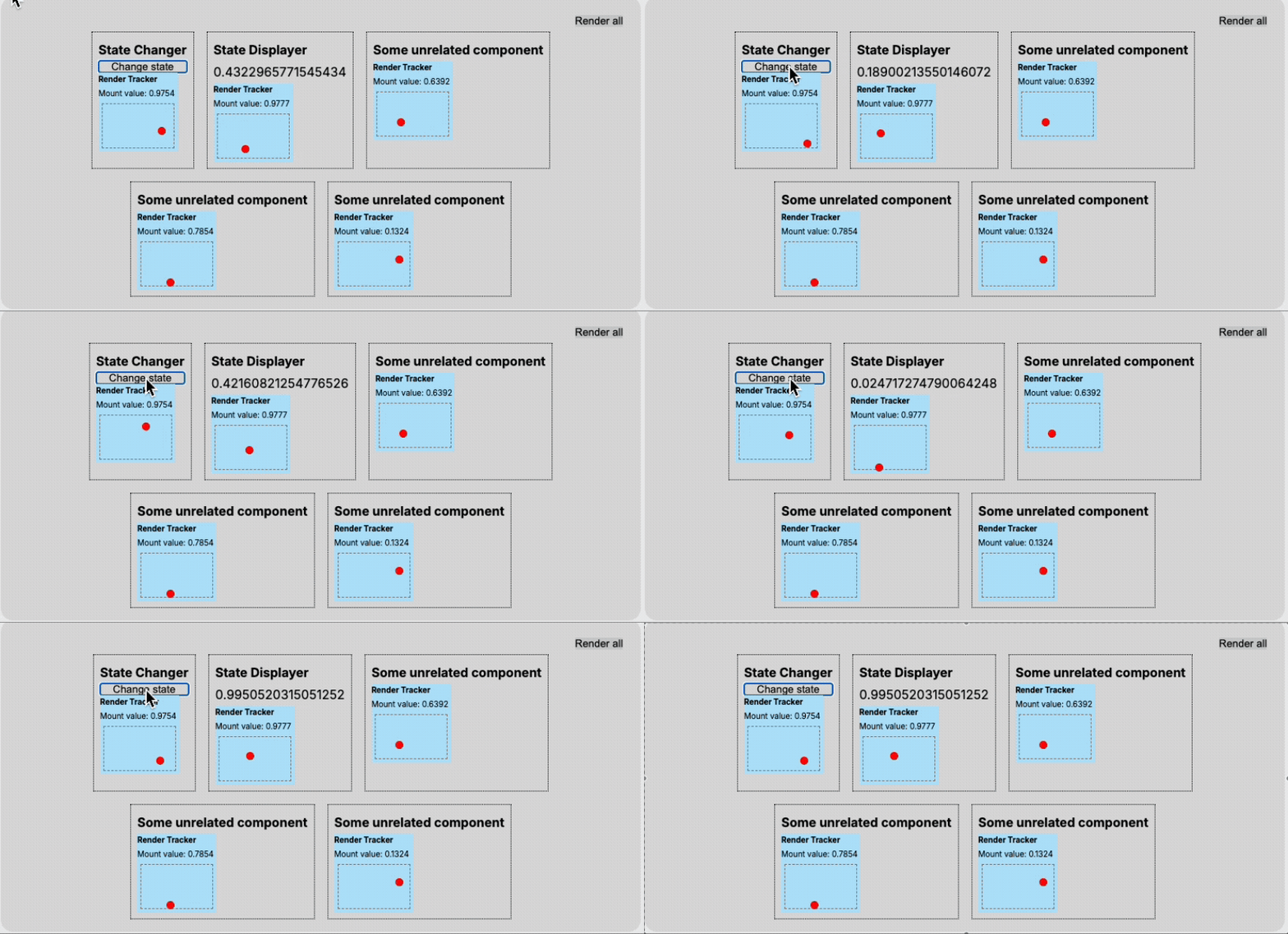
⇒ 즉, Context 상태가 변경될 때마다 Provider 아래의 모든 것이 다시 렌더링된다고 생각은 오해입니다.
(사진과 같이 SomeUnrelatedComponent는 다시 렌더링되지 않음)
Context 오해의 원인
1. 모든 상태를 하나의 Provider에 넣는 경우
- 하나의 Context Provider에 여러 상태(예:
color,foo,bar)를 추가하고 새로운 컴포넌트(FooComponent)가 이 상태의 일부를 사용하면, 이 상태의 변경은 모든 Context 소비자의 재렌더링을 유발합니다.
function FooComponent() {
  const { color, setColor } = useContext(MyContext);

  return (
    <div className="foo-component">
      <strong>Foo Component</strong>
      <button
        onClick={() => {
          // This is Copilots suggestion lol
          const randomColor = `#${Math.floor(Math.random() * 16777215).toString(
            16
          )}`;
          setColor(randomColor);
        }}
      >
        Randomize color
      </button>
      <div className="color-display" style={{ backgroundColor: color }}></div>
      <RenderTracker />
    </div>
  );
}
- 이는 관련된 데이터이고 변경 사항을 표시해야 하는 경우에 문제가 되지 않습니다.
- 하지만 관련 없는 두 세트의 데이터가 있다면, 두 개의 Context Provider를 사용하면 됩니다.
2. children Prop의 오해
- 컴포넌트의 렌더링이 모든 자손을 렌더링하게 한다는 지식과 Context Provider가 일반적으로 애플리케이션의 최상단에 위치한다는 사실 때문에, Context Provider가 재렌더링될 때 그 아래의 모든 것이 렌더링될 것이라고 사람들이 오해합니다.
- 하지만
childrenprop으로 전달된 컴포넌트는 부모 컴포넌트의 상태가 변경되어도 재렌더링되지 않습니다. - 직접 컴포넌트 내부에 렌더링된 자식은 부모의 상태 변경 시 재렌더링되지만,
props.children으로 전달된 자식은 그렇지 않습니다.
- 하지만
export function ReactRenders3() {
  return (
    <div className="render-tracker-demo">
      <ChildrenStyleOne />

      <ChildrenStyleTwo>
        <RenderTracker />
      </ChildrenStyleTwo>
    </div>
  );
}
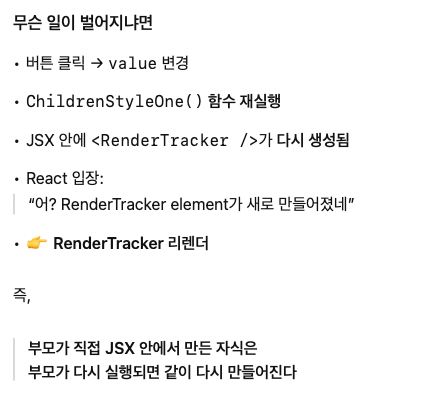
export function ChildrenStyleOne() {
const [value, setValue] = React.useState(0);
return (
<div className="some-parent-component">
<strong>ChildrenStyleOne</strong>
<button
onClick={() => {
setValue(prev => prev + 1);
}}
>
Increase count: {value}
</button>
{/* 👇 여기서는 RenderTracker를 직접 선언 */}
<RenderTracker />
</div>
);
}

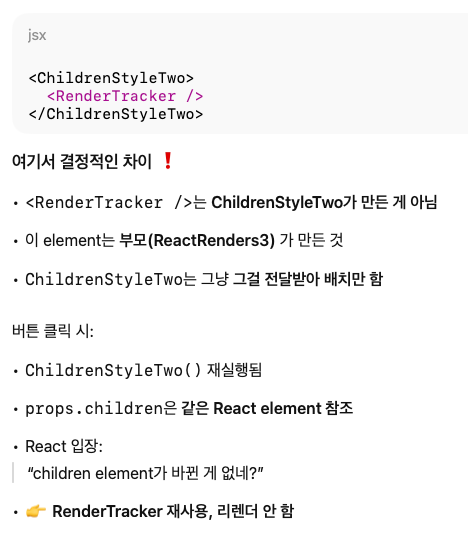
export function ChildrenStyleTwo(props: React.PropsWithChildren) {
  const [value, setValue] = React.useState(0);

  return (
    <div className="some-parent-component">
      <strong>ChildrenStyleTwo</strong>
      <button
        onClick={() => {
          setValue(prev => prev + 1);
        }}
      >
        Increase count: {value}
      </button>
      {/* 👇 여기서는 children prop으로 전달됨 */}
      {props.children}
    </div>
  );
}
이해
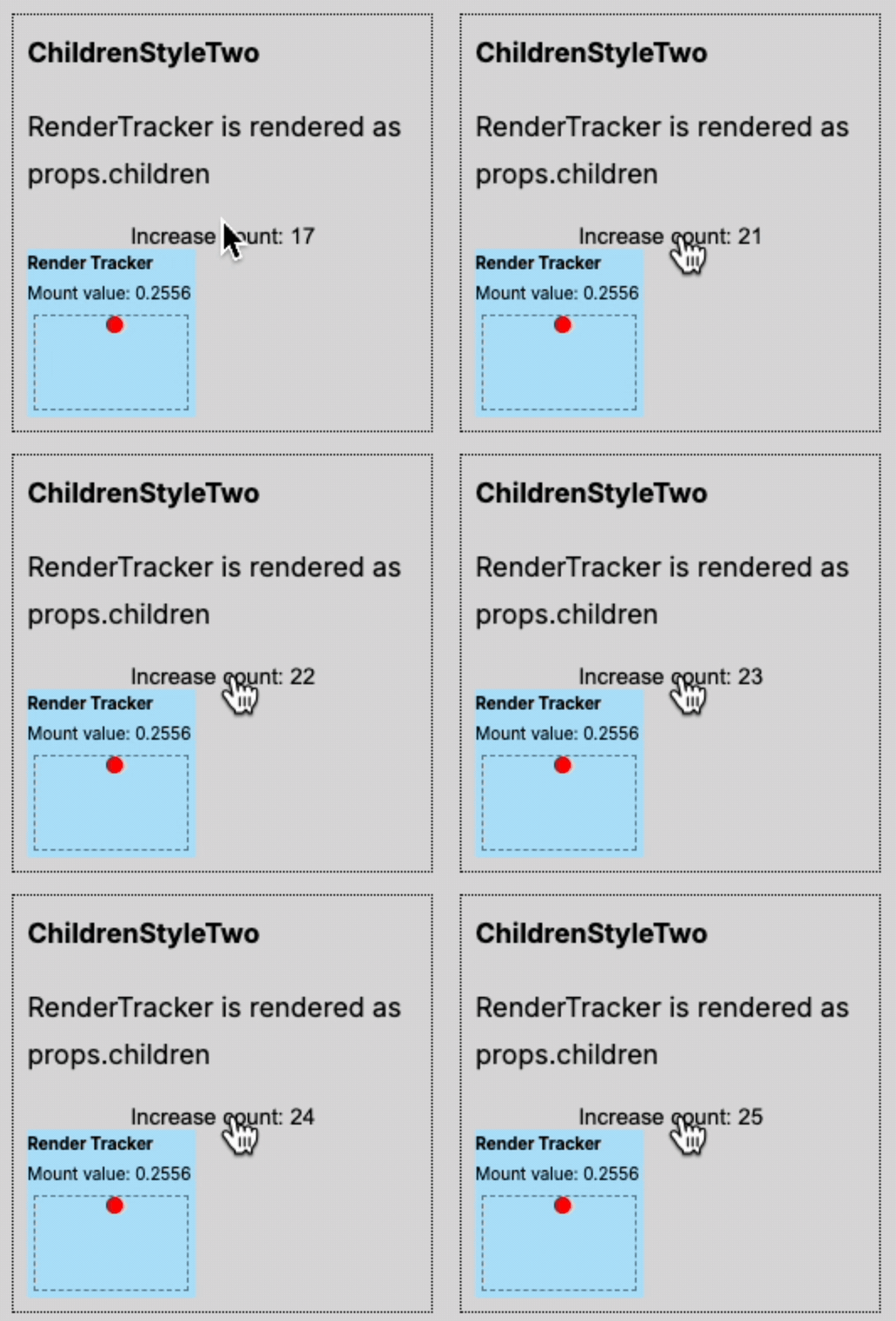
ReactRenders3가 내려보내는children이 같은 React element 참조를 유지하기 때문에,ChildrenStyleTwo에서는RenderTracker가 리렌더되지 않는다.
- 왜? ⇒
RenderTracker가ChildrenStyleTwo에서 생성되는게 아니라ReactRenders3에서 생성되고,ChildrenStyleTwo는 단순히 배치만 하기 때문이다.따라서,
ChildrenStyleTwo가 리렌더되어도 children prop인RenderTracker는 리렌더되지 않는다!
결론 및 조언
- React Context는 흔히 과장되는 것처럼 성능 저해 요소가 아닙니다.
- 이러한 오해 때문에 불필요하게 Redux나 Zustand와 같은 도구를 사용하게 됩니다.
- 수십 개의 상태를 하나의 Context Provider에 넣으면 문제가 발생할 수 있지만, 애플리케이션의 다른 부분에 있는 컴포넌트 간에 상태를 전달하는 데는 완벽하게 적합하며, 전역 상태 관리자보다 깔끔한 솔루션일 수 있습니다.
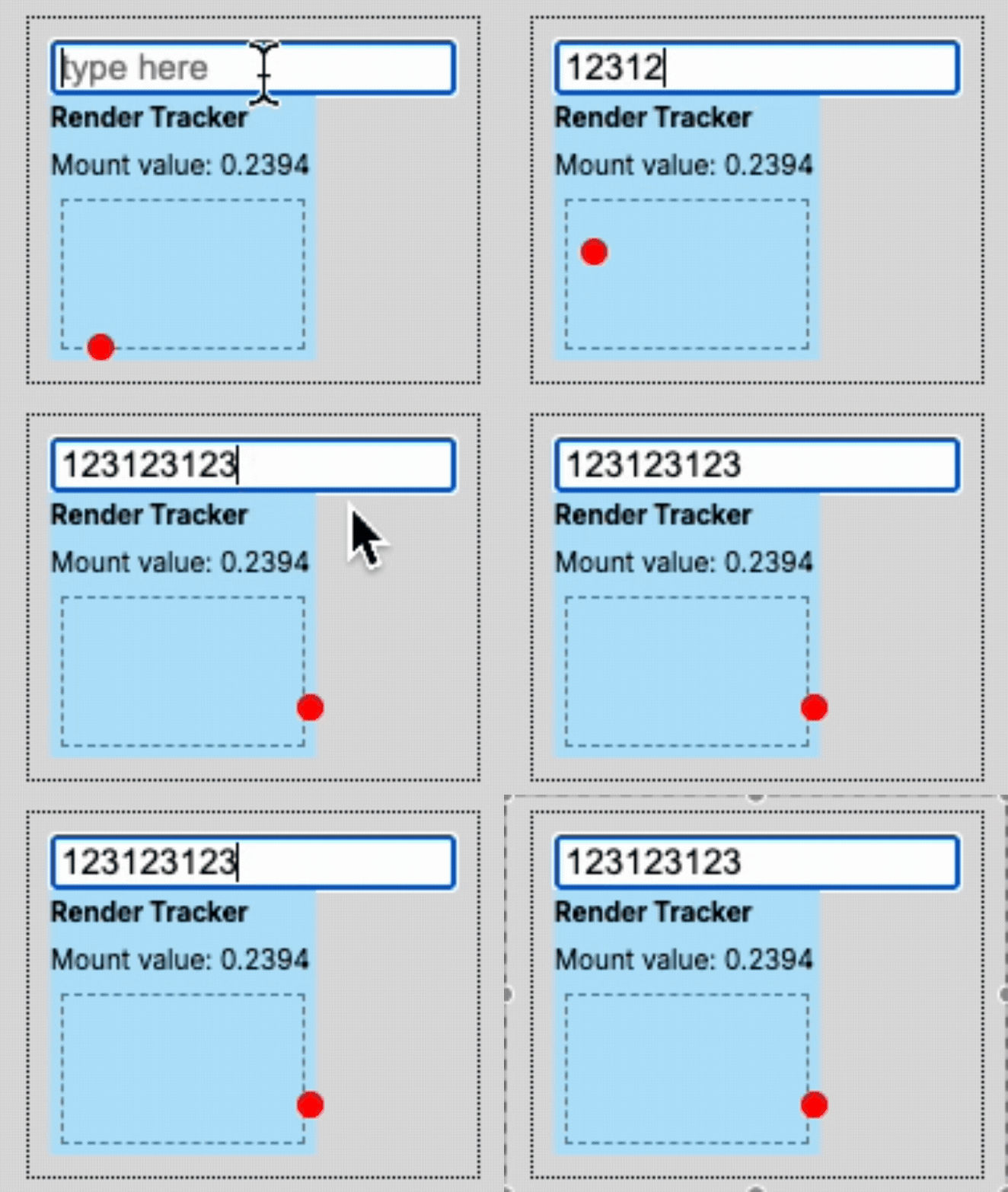
- 진정한 성능 저해 요소는 “제어되는 컴포넌트(controlled components)“입니다. 예를 들어, 텍스트 입력 필드에 타이핑할 때마다 모든 키 입력이 렌더링을 유발합니다.
-
Context Provider를 두려워하지 말고, 종종 작업에 가장 적합한 도구입니다.
- Context가 전역 상태 관리자가 필요 없다는 의미는 아닙니다. 규모가 있는 애플리케이션에서는 Context를 전역 상태 관리에 사용하는 것이 번거로울 수 있습니다.
- 하지만 특정 페이지 내에서만 공유되어야 하는 상태가 있고, 이 상태를 공유하는 컴포넌트들이 페이지 내에서만 사용될 경우 Context Provider가 더 적절할 수 있습니다.
- 이는 전역 상태 관리자에 애플리케이션의 나머지 부분과 관련 없는 상태를 추가하는 것보다 깔끔한 해결책이 될 수 있습니다. ⇒ 일부 페이지에서만 쓰는 상태를 굳이 앱 전역 상태에 넣지 말고 Context로 해결해라
마인드맵 정리